
Learning & compliance
Keep training and certifications on track
- Team training progress
- Compliance overview
- Onboarding flow
Cornerstone stores a wealth of data. Training records, certifications, compliance, performance, career paths, team structures, and learning histories.
Cornerstone MicroApps are modular applications that surface seamlessly inside your platform and connect directly to live data. They turn that data into clear, focused views and task-ready actions. Connected through Cornerstone’s APIs, they bring everything together in one place. No exports. No extra tools. Just instant access for managers, employees, and HR.
Up‑to‑date
API-driven data, straight from Cornerstone
Native
Runs directly in your HR platform
Because the data is already there. The right views just weren’t.
Cornerstone MicroApps are modular applications that surface seamlessly inside your platform. Each one is built for a specific use case, bringing everything into one focused view designed for real work.
They adapt to the people using them. Managers see their teams, employees see what requires attention, and HR gains visibility across the organization. You can start with one MicroApp or combine several into a setup that grows with your needs.
Deployed on Cornerstone custom pages and built to work directly in your environment.
Direct data access through Cornerstone APIs, without exports or delays.
Each MicroApp focuses on a specific task, bringing the right information together so it can be used straight away.
Everyone sees what’s relevant to them, without digging through pages or reports.
Review progress, send reminders, or take action without leaving the view.
Work with large datasets without running into the usual reporting restrictions.
Styled to match your colors, fonts, and visual identity.
Start with one MicroApp and expand as your needs grow.
Beyond customization
Most Cornerstone customization focuses on how the platform looks. Branding, layouts, navigation, and content.
MicroApps go further. They introduce fully functional applications that work with live data and support real tasks in practice. Instead of adjusting how Cornerstone looks, they expand what it can actually do.
The lineup of HR features now made possible
MicroApps are built around real needs that have come up again and again. Each one focuses on a specific task and brings the right information into a single view.
You can start with one or combine several to support different roles and workflows across your organization.
Keep training and certifications on track
See what needs attention and act on it
Stay on top of your team without switching views
Understand activity and spot risks early
Track hiring, capacity, and development
Start with one. Expand across your platform.
See your team’s learning at a glance
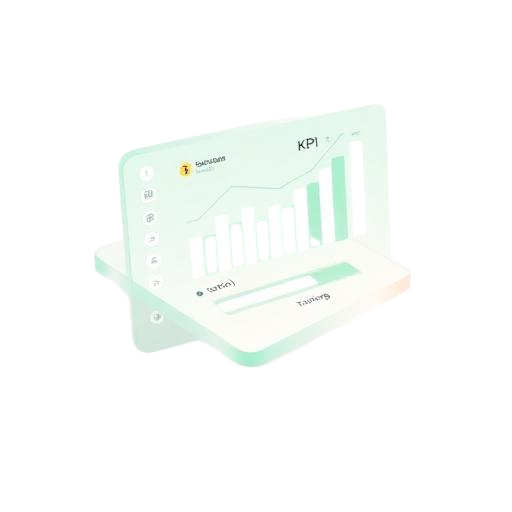
Managers often need to jump between reports, transcripts, and dashboards to understand how their team is progressing with training. The Team Training Progress MicroApp brings everything together in one clear overview so managers can instantly see progress, identify overdue items, and take action.
Complete team training overview
See progress across all assigned learning in one view, including completed, active, overdue, and required training.
Individual progress visibility
Expand each team member to see their personal training status and learning grid.
Send reminders instantly
Nudge employees directly about open or overdue training.
Assign new learning
Add training without leaving the dashboard.
Clear visual dashboard
Quickly understand team progress and present updates when needed.
Powerful filtering and search
Find what matters across team members and learning items.
Export when needed
Download data for reporting or sharing.
Never lose track of your tasks
Employees often need to navigate multiple pages to understand what training or tasks require attention. MyTodos brings everything together in one clear overview so people can immediately see what needs to be done and plan their time accordingly.
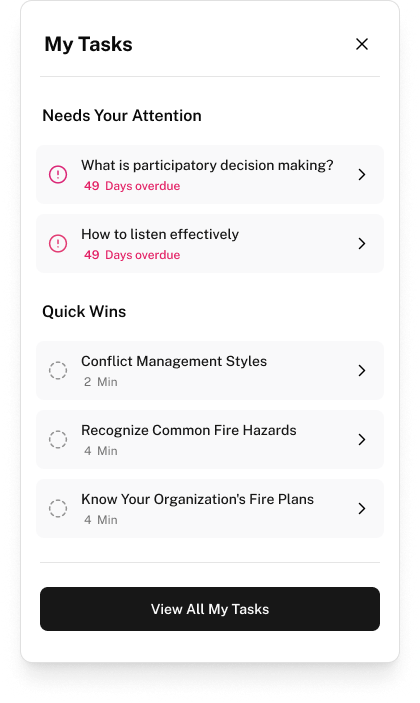
Complete task overview
See training, certifications, and tasks in one place.
Instant status summary
Quickly understand what is overdue, due soon, or completed.
Focus of the week
Highlight the most important tasks in the coming days.
Quick wins
Identify small tasks that can be completed quickly.
Powerful filtering and search
Explore and filter tasks when needed.
Plan time for your learning
Reserve time directly with the built-in calendar blocker.
Flexible access across your platform
Use MyTodos on a page or keep tasks always visible with the optional sticky widget.
Track engagement, activity, and risk in one view
Understanding how teams engage with learning, tasks, and performance often requires navigating multiple reports. The Engagement Dashboard MicroApp brings these signals together in one view so managers and HR can compare activity, understand engagement, and see where action is needed.
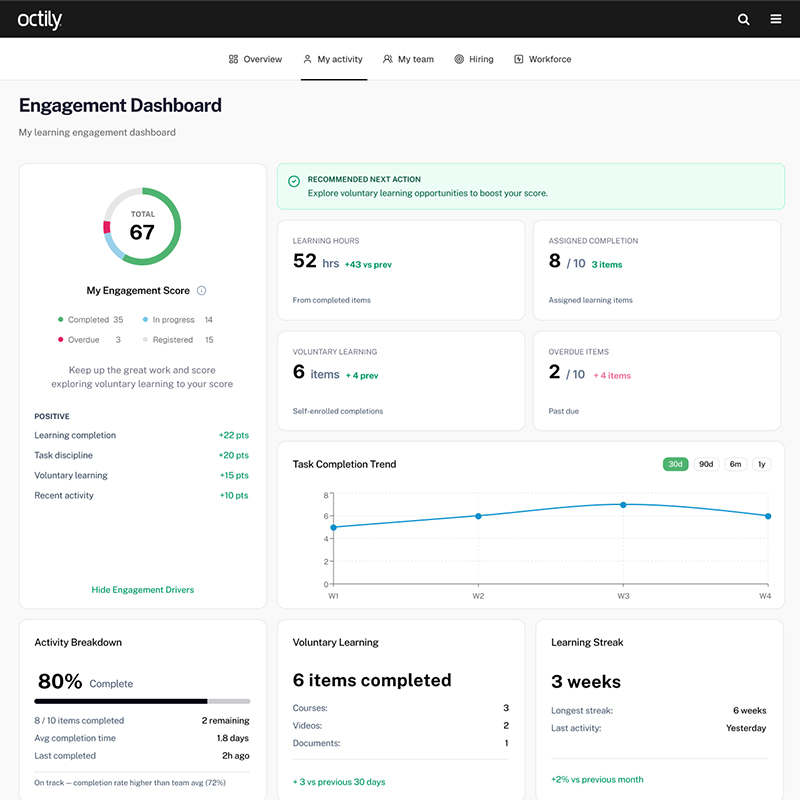
Clear engagement overview
Combine learning activity, task completion, and interactions into one view.
Compare and track trends over time
See how engagement, activity, and progress evolve and quickly spot increases, declines, or gaps across teams.
Spot risks early
Identify inactive employees, overdue learning, or declining trends.
Understand your team instantly
See who is progressing and who needs support.
Workforce insights
Track hiring activity and team capacity.
Operational readiness visibility
Monitor certifications, qualifications, and compliance risks.
Take action directly
Send reminders, assign learning, or schedule check-ins without leaving the view.
Get started
MicroApps connect directly to your existing Cornerstone setup. You can start with one use case and expand over time as new needs emerge.
We identify the use cases that will deliver the most value for your organization.
Your MicroApp is designed, connected securely to your Cornerstone environment, and aligned with your brand.
The app is deployed on your Cornerstone custom pages and can be extended with additional MicroApps over time.
Pay for what you need
Every MicroApp comes in three flavors and four sizes – so you only pay for the depth of customization and the scale you actually need.
| Small | Medium | Large | Extra Large | |
|---|---|---|---|---|
| Plug & PlayReady to deploy, our design and configuration | € 160/ month + € 1,920 setup fee | € 320/ month + € 3,840 setup fee | € 480/ month + € 5,760 setup fee | € 640/ month + € 7,680 setup fee |
| CustomizedYour branding, layout, content and slight functional adjustments | € 240/ month + € 2,880 setup fee | € 480/ month + € 5,760 setup fee | € 720/ month + € 8,640 setup fee | € 960/ month + € 11,520 setup fee |
| CustomBespoke build tailored to your requirements | € 320/ month + € 3,840 setup fee | € 640/ month + € 7,680 setup fee | € 960/ month + € 11,520 setup fee | € 1,280/ month + € 15,360 setup fee |
Ready to deploy, our design and configuration
+ € 1,920 setup fee
+ € 3,840 setup fee
+ € 5,760 setup fee
+ € 7,680 setup fee
Your branding, layout, content and slight functional adjustments
+ € 2,880 setup fee
+ € 5,760 setup fee
+ € 8,640 setup fee
+ € 11,520 setup fee
Bespoke build tailored to your requirements
+ € 3,840 setup fee
+ € 7,680 setup fee
+ € 11,520 setup fee
+ € 15,360 setup fee
OAuth 2.0 authentication with server-side token handling. No client-side secrets.
Built on Cornerstone's official APIs with live data.
Fast loading with parallel data fetching and responsive rendering.
WCAG 2.1 AA compliant, including keyboard navigation and screen reader support.
Styled to your design with scoped CSS to avoid conflicts.
Each use case runs independently and can be deployed on its own.
Questions that usually come up
Start micro. Go mighty
You've seen how MicroApps turn complex workflows into something clear and usable. Now it's your turn. Bring us your challenge, and we'll show how it becomes a MicroApp in your Cornerstone setup.
We’d like to understand how visitors use our website so we can improve it. Our analytics are self-hosted by Octily and don’t store your IP address. You decide what you’d like to allow.