
Custom Cornerstone Welcome Page That Guides Every Role to Success
Design a custom welcome page – the landing page or home page your people see right after they log in to Cornerstone – that gives employees, managers, and new hires their own dedicated starting point. Bring together onboarding, tasks, learning, insights, and communication in one structured, branded environment that feels consistent and instantly recognizable.
 Listen to the summary0:00 / 1:24
“We create role-specific welcome pages that show employees, managers and new hires what matters today and where to start.”
Give employees a clear start to their day
A personalized Welcome Page that works for every role
HR platforms support learning, tasks, communication, reporting, onboarding, and performance, but often feel disconnected across different areas. Users log in without clear direction, complete one task, then leave, missing the bigger picture of what the platform can offer.
Whether your team calls it the welcome page, the homepage or the landing page of your learning portal, a custom version creates one branded starting point that surfaces role-based priorities. It connects everything in a structured view and turns updates into active engagement that brings people back and drives daily action.

Control what you welcome into your platform
Set the agenda for the day
Start with a clear view of what needs attention. Employees don't just see information, they know what to act on next, so HR sees real follow-through instead of passive views.
One Place to Get Things Done
Bring tasks, tools, and actions together, even beyond your core platform. Replace scattered tools with one structured starting point where work actually happens.
Turn Visits into Daily Habit
From one-time logins to ongoing use. When people can check updates, take action, and stay on top of their work in one place, they come back because it helps them move forward.
Turn ignored messages into irresistible communication
Make HR visible without chasing attention. Messages live where employees already start their day, with reactions and responses built in and notifications pulling them back when it matters.
Insights That Power Immediate Action
Go beyond dashboards. Surface real-time data directly in the workflow so people can review, decide, and act immediately without switching tools.
Built Around Your Organization
Give HR control without relying on IT. Adapt content, highlight priorities, and shape the experience based on roles, regions, and changing needs, all within a branded experience people instantly recognize.
AAK case study
Driving employee engagement
AAK transformed Cornerstone into an on-brand experience that feels like AAK and drives repeat usage across the platform.
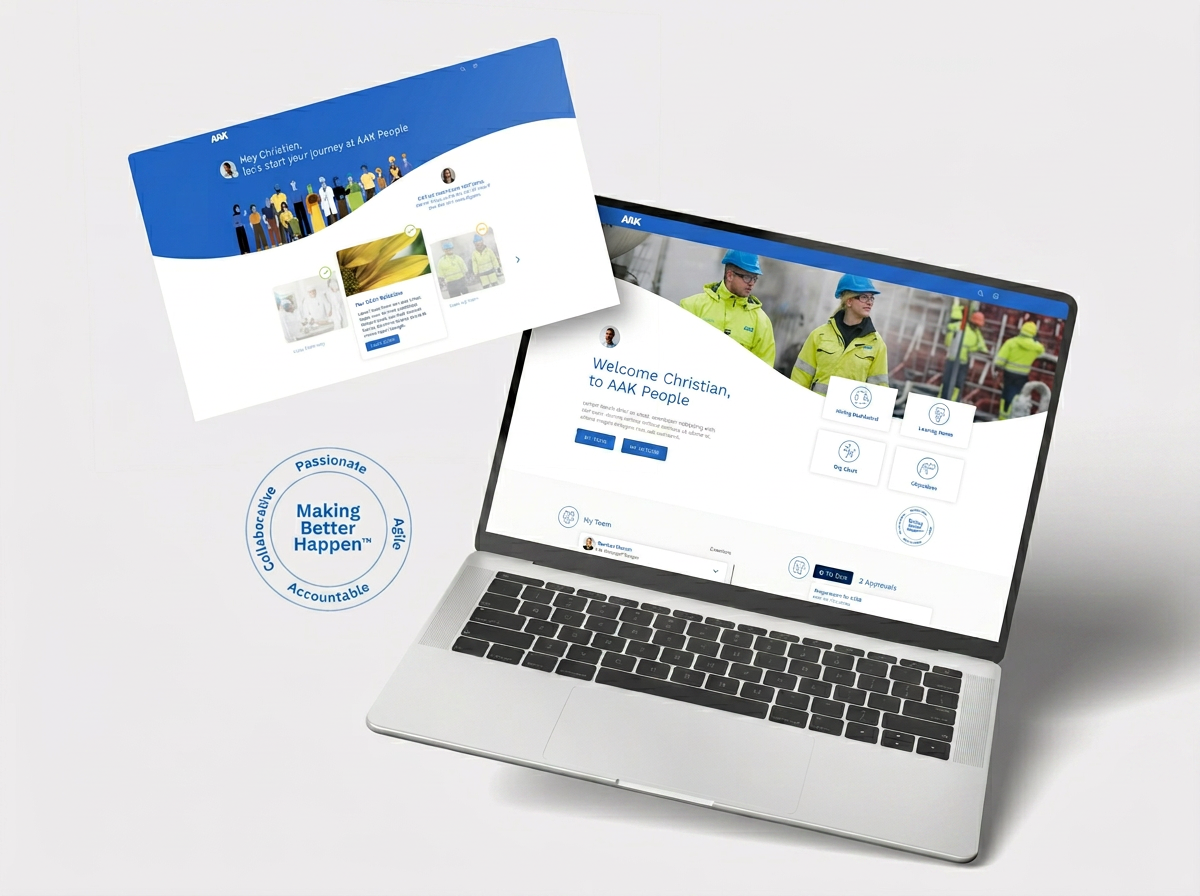
“When you look at the page, you FEEL that this is AAK… I recognize myself when I log in here.”

Denise Broberg
Global People Data Insights Manager
AAK
Your welcome page, your way
Built where it works best
Your welcome page doesn’t need to live in just one place. It can sit inside your HR platform, connect across your tools, or live outside and link everything back together. The setup depends on your processes, your tools, and how your teams work.
Inside your HR platform
Build directly within your existing HR or learning platform, such as Cornerstone Workforce AI, fully connected to your workflows, data, and daily usage.
Connected across your ecosystem
Bring together data, actions, and content from multiple systems into one experience, without switching between platforms.
A standalone experience
Create a separate welcome page that connects back into your ecosystem, giving you full flexibility in design, performance, and setup.
Welcome your new talent
An onboarding experience that guides every step
Deliver a structured first experience that brings together tasks, resources, introductions, and context in one clear view. No overwhelming emails or scattered links, just a guided journey that helps new hires settle in quickly and confidently.
From day one, they follow a personalized path, complete key milestones, and feel supported as they get familiar with their role, their team, and your organization. This helps them contribute sooner while reducing ramp-up time for HR.
First tasks and onboarding checklist
Welcome message and company story
Buddy, manager, and key contacts
Step-by-step journey with progress tracking
Required training and compliance modules
Essential resources and documents
Role and location-based onboarding guidance
Smart reminders and milestone nudges
Nurture your employees’ growth
A daily starting point that supports employee development
Make every login a step forward. Bring together tasks, learning, updates, and resources in one structured view so employees always know what to focus on, with no hunting and no switching between tools.
Surface what matters most based on role, location, and activity. Employees see clear next steps, track their progress, and build momentum over time, all in one place.
Personal tasks and priorities
Tailored learning paths and skill recommendations
Company updates and conversations
Your tasks and next steps
One-click tools and resource shortcuts
Progress tracking and achievements
Role and location-based highlights
Smart notifications that bring people back
Empower your leaders
A manager hub that drives team success
Give managers a clear view of their team, from performance and skills to training progress and priorities, while surfacing their own to-dos and approvals in one place.
Bring forward the tools they use every day so they can take action directly. Assign learning, approve requests, track progress, and respond to what’s needed in the moment, supported by real-time dashboards, MicroApps, and connected systems.
Team structure and roles
Performance trends and engagement signals
Skills gaps and development paths
Approvals and workflow bottlenecks
Manager tasks and deadlines
Real-time dashboards and trends
Connected tools across your ecosystem
Recommendations and next steps
More than welcome
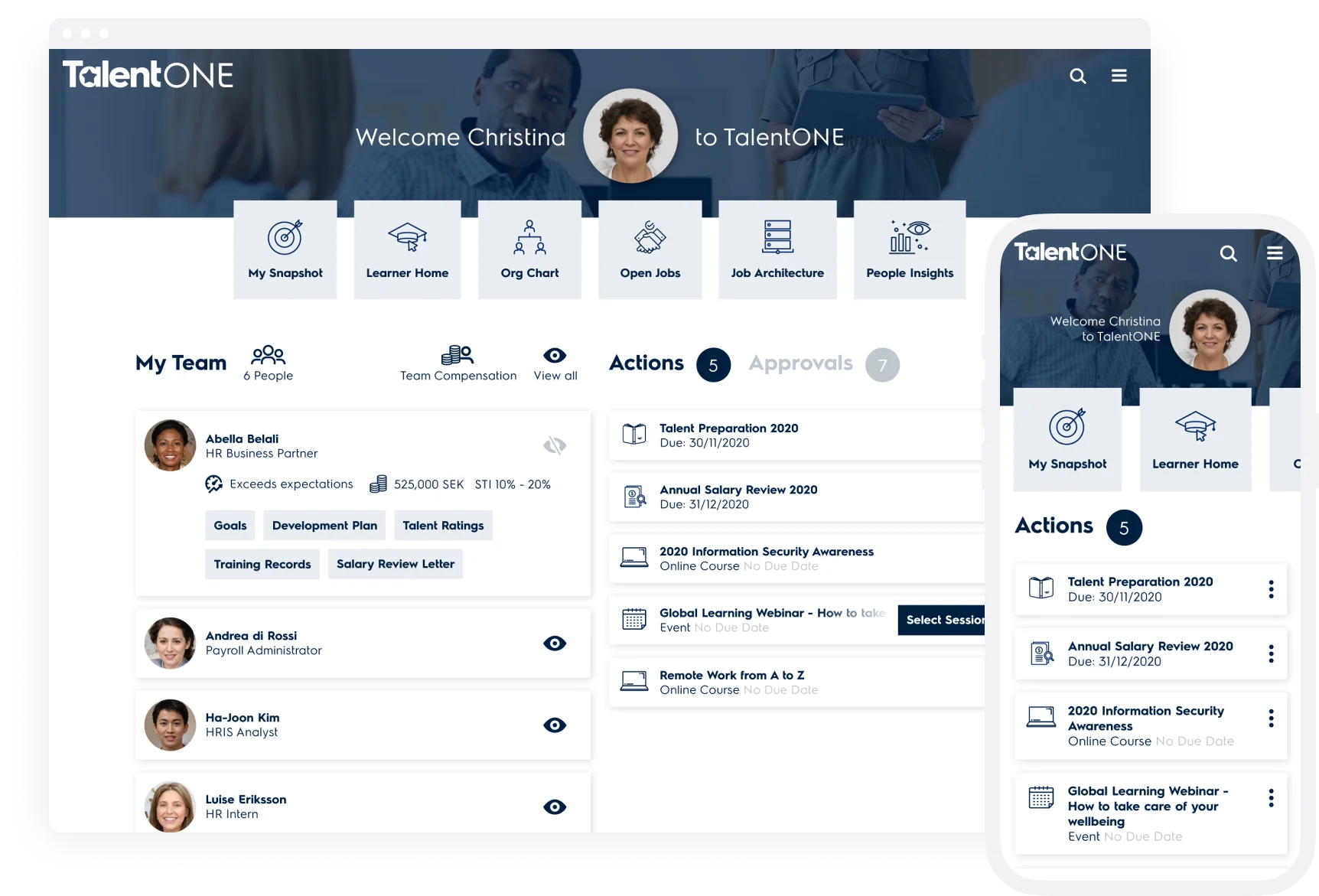
Different teams, different starting points
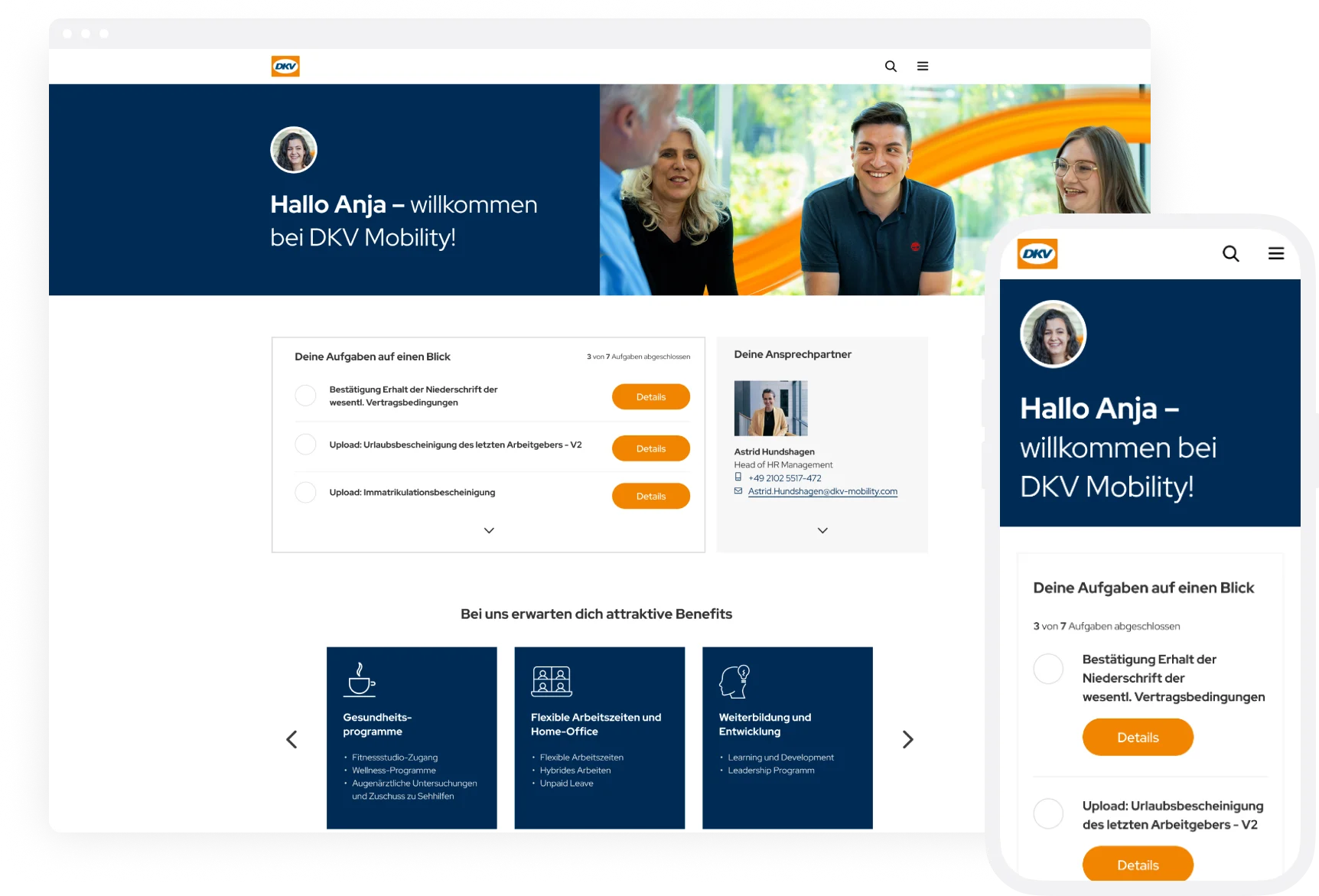
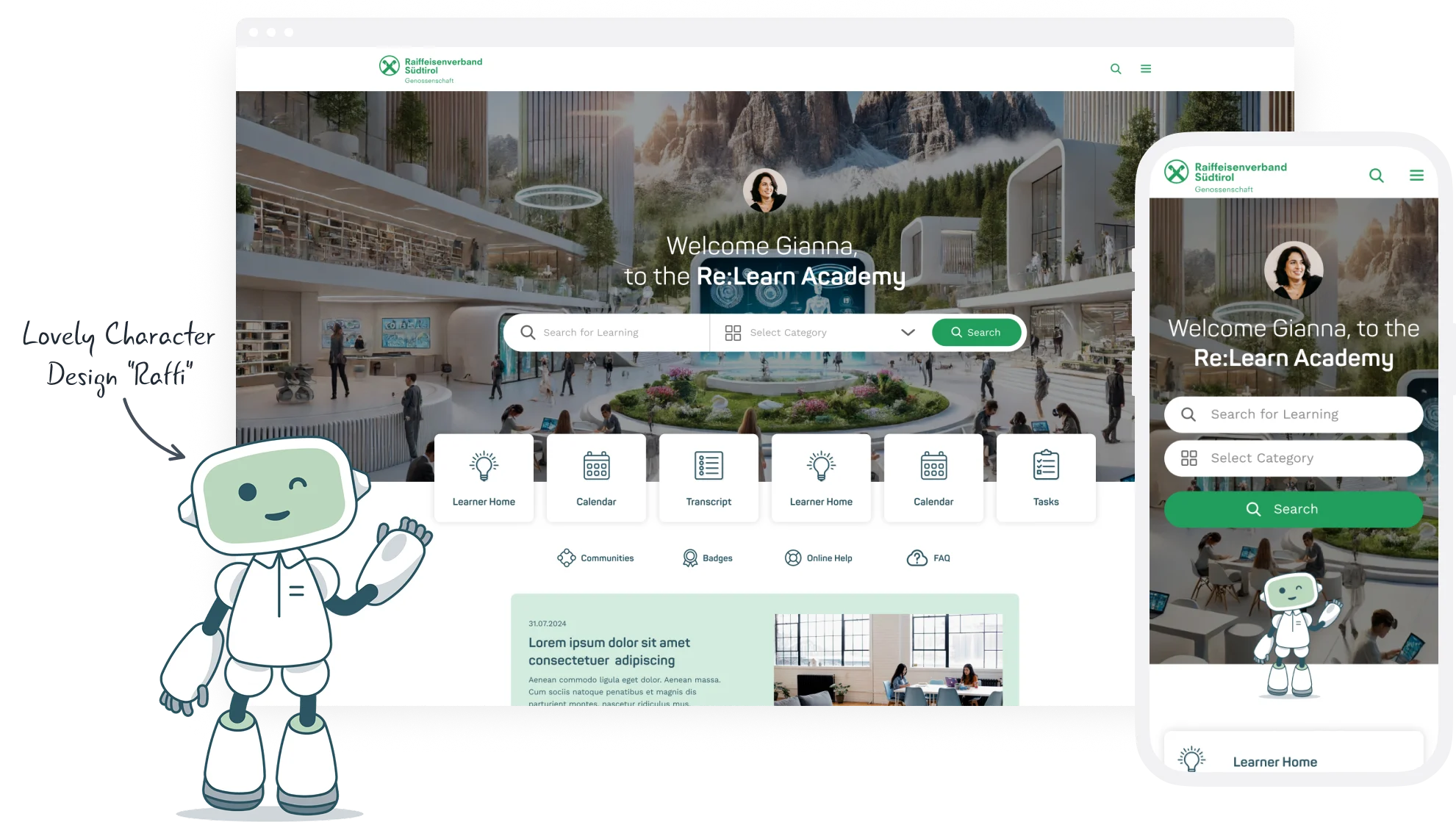
A welcome page can take many forms. It can guide new hires, support daily work, or give managers full control. What matters is that it fits your processes and is shaped around how your teams work, helping people move forward from the moment they log in.
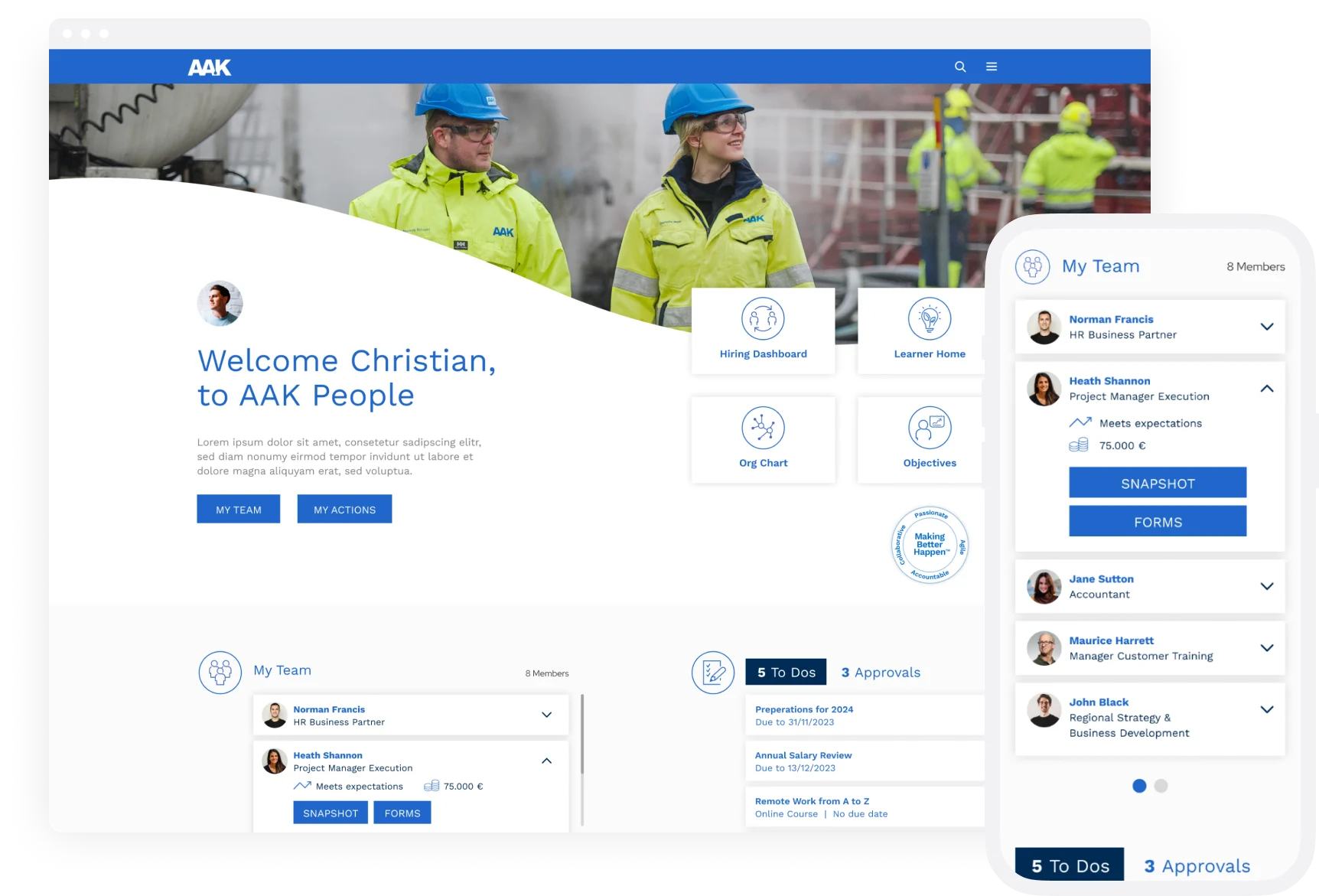 AAK Manager Hub
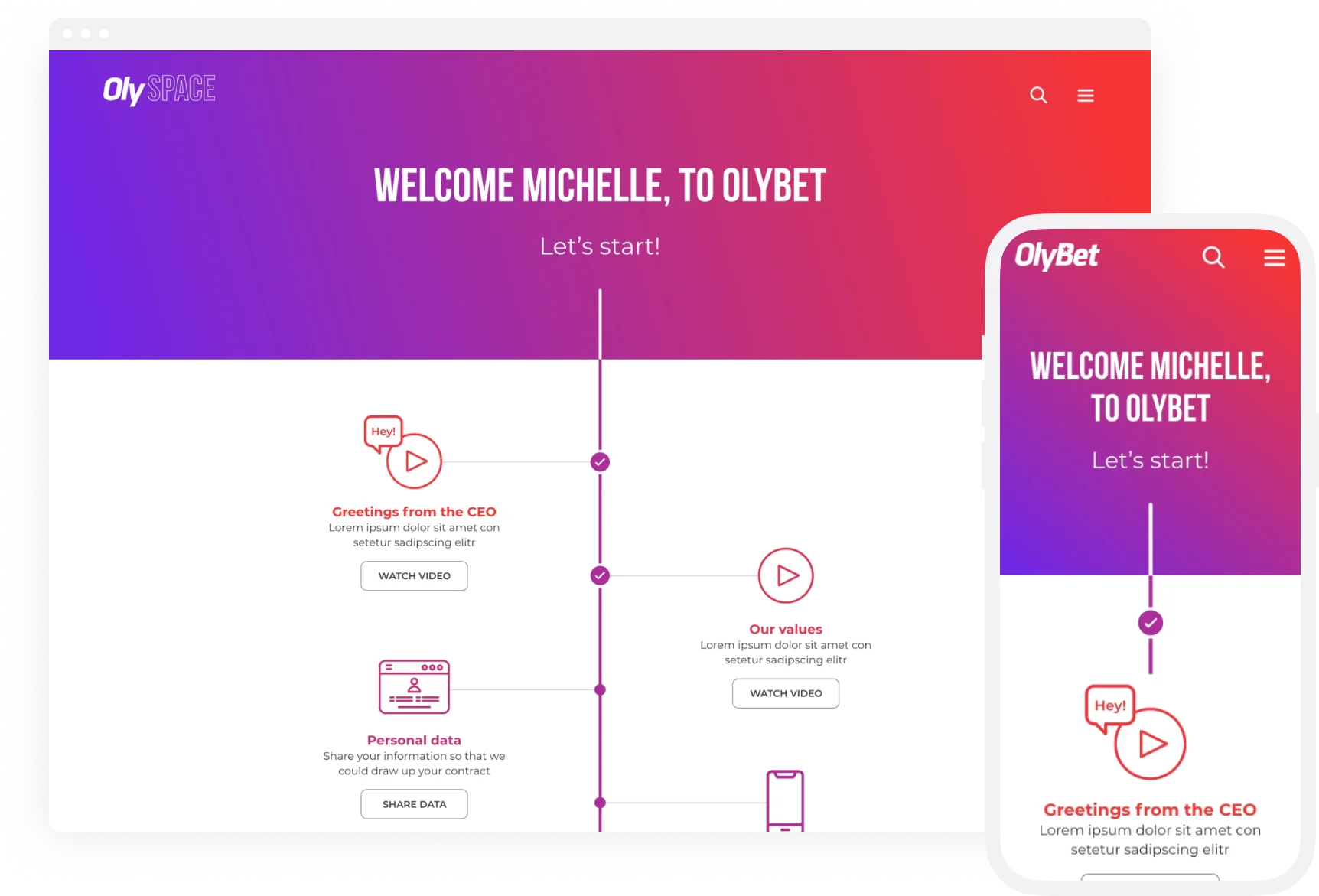 OlyBetRaiffeisenverband
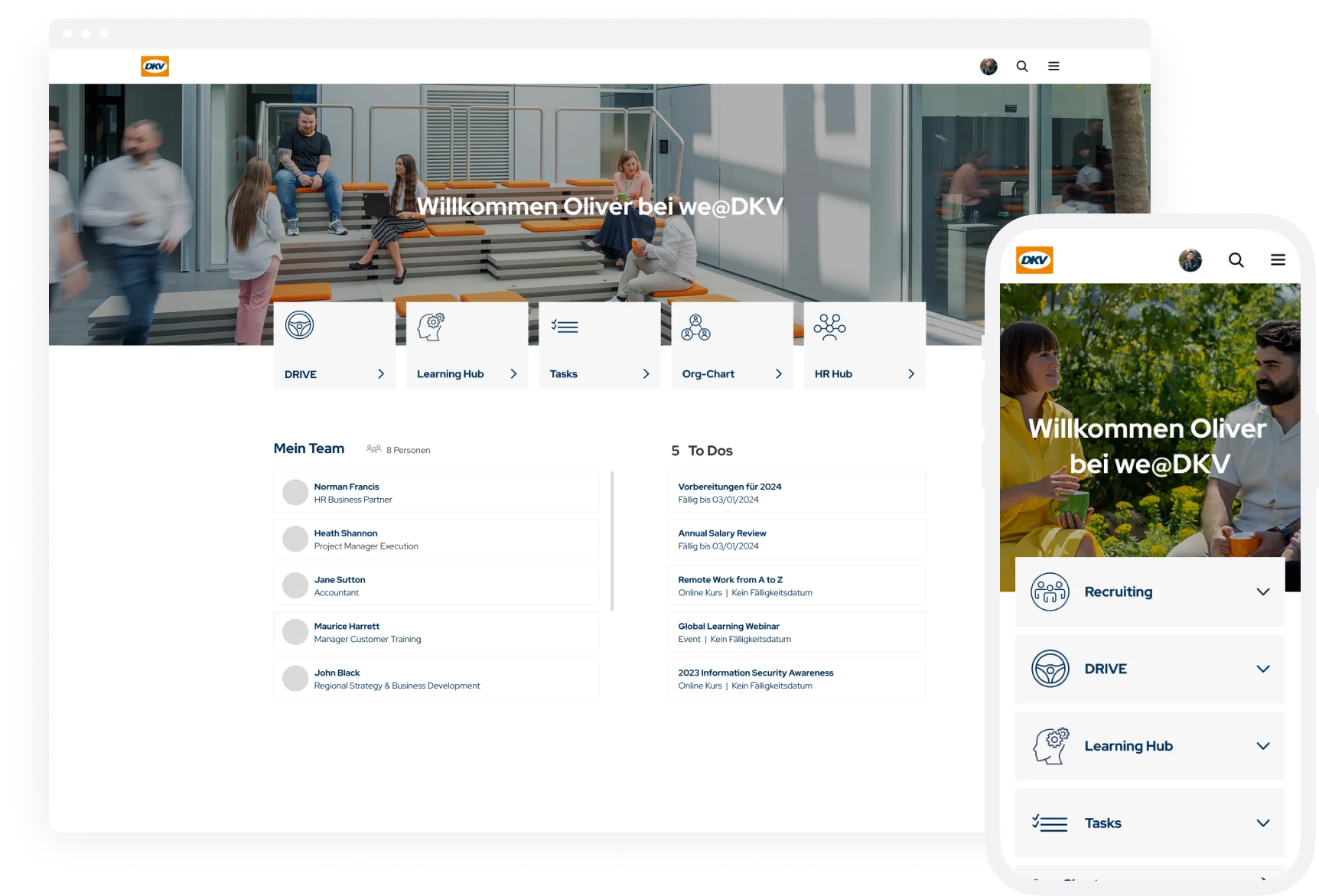 DKV
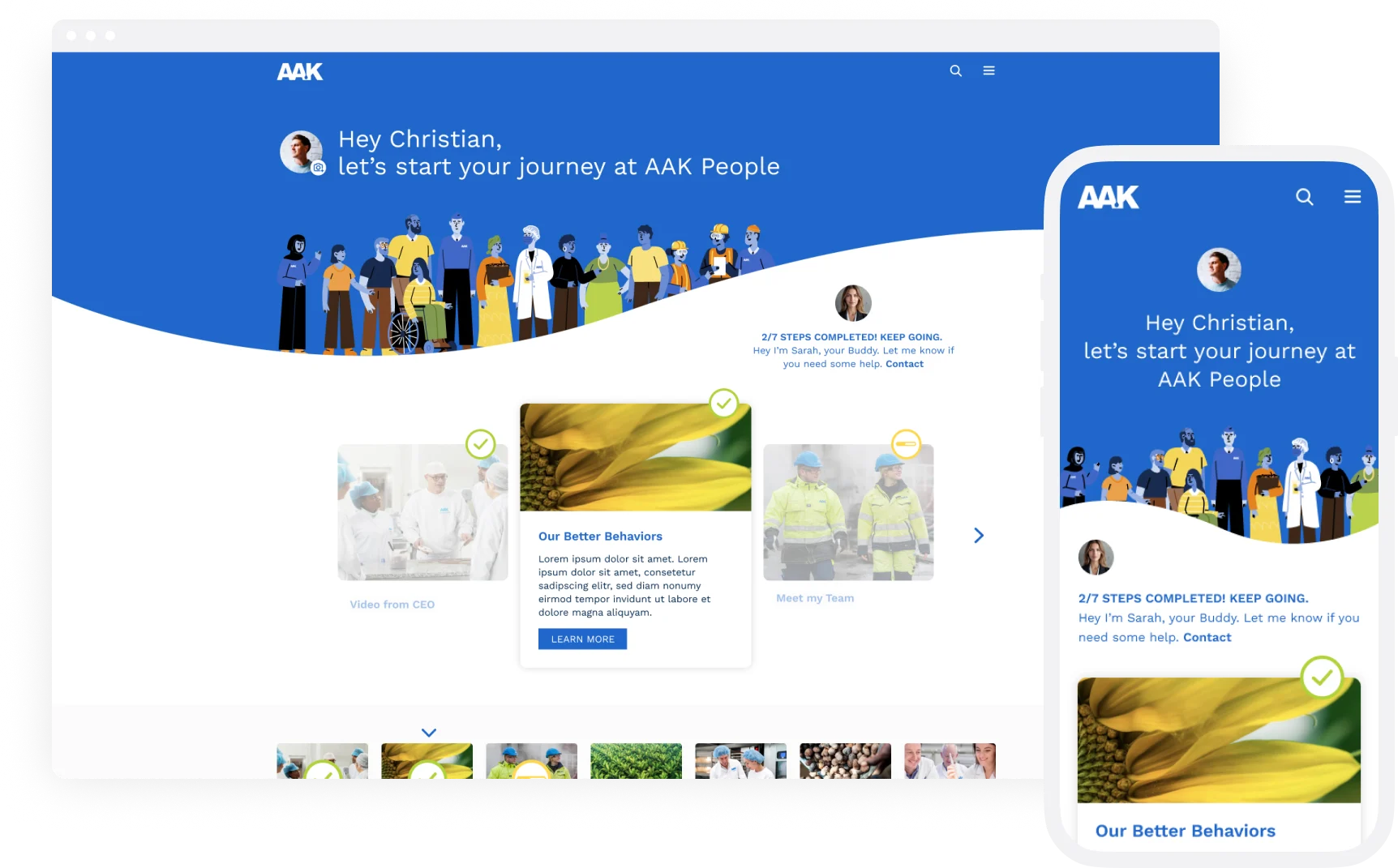 AAK Onboarding
The welcome committee
Mix and match to build the welcome page your team needs
A strong welcome page is not one single setup. It’s built from different elements that shape how people start their day, what they see, and what they do next.
Choose what fits your team, combine what works, and create an experience that supports how your organization actually runs.

Get Started
How it works
Transforming your platform with role-specific welcome pages has never been easier. Follow these simple steps to create dynamic and branded landing pages that greet your team every time they access the platform, ensuring a consistent and engaging experience.
Discovery and Proposal
Let’s kick it off with a conversation and a deep dive into your goals. We’ll then prepare a tailored proposal and initial design concepts.
Design and Create
We’ll design and build your project, integrating the custom elements into your platform to ensure a smooth and cohesive experience.
Review and Launch
Once you’ve reviewed and approved the final implementation, your project will go live, with ongoing support to ensure success.
Before you ask IT
What IT and HR usually ask us first
- Does anything have to be installed across our portal?
- Not for pages like this one. Cornerstone lets Custom Pages and classic Welcome Pages carry their own code, so the page works on that page alone – nothing has to be added to the rest of your portal. On the Single Architecture welcome page, the standard widgets accept approved HTML only; if your page needs more than that, we tell you up front what your setup requires.
- What happens when Cornerstone ships a new release?
- We read every Cornerstone release note – we keep our own archive of them – and check our customizations against upcoming changes. Your pages run on your Pilot and Stage portals with the same code as on Production, so every test environment shows exactly what your people see.
- Who maintains it afterwards?
- You choose. With the Octily Content Editor (OCE), your team updates texts, images, layouts and languages itself, without developers. Without OCE, Octily maintains the custom parts for you. Whatever sits in Cornerstone’s standard widgets, your admins can always edit themselves.
- Which languages does it support?
- Your page can be built in every language your portal uses. With OCE, each language is updated on its own without overwriting the others, and you can export texts to Excel for translation and import them back. We write copy in English and German, other languages through translation partners.
Questions that usually come up
Frequently asked questions
Welcome mat? Nah. Time to roll out the red carpet.
Let’s build your welcome page
Build a starting point tailored to your teams. Designed to support their daily work and help your organization move forward with clarity and focus.
- 300+ projects
- 105+ clients
- Since 2016
- Certified Cornerstone Partner
“AAK and Octily together have created a 'WOW' experience with the bespoke Cornerstone pages. When you look at the page, you feel this is AAK. Employees really recognize themselves when they log in.”
Denise Broberg
Global People Data Insights Manager
AAK
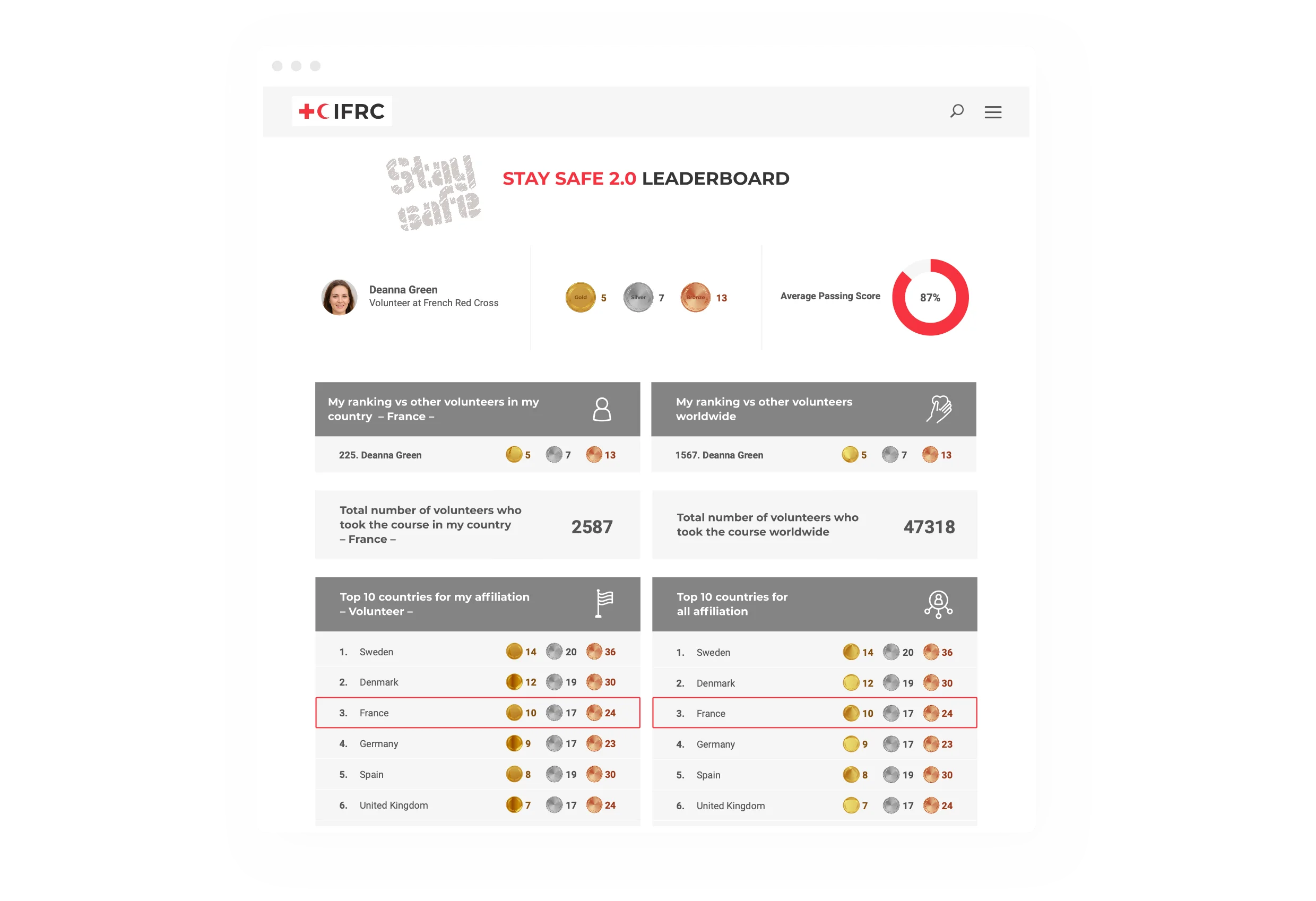
Analytics & Reporting
Get a clear view of your platform and know exactly where to step in. Build HR dashboards and reporting tools, track key metrics, and turn reporting into clear, actionable insights that support better decisions across HR, learning, and your teams.
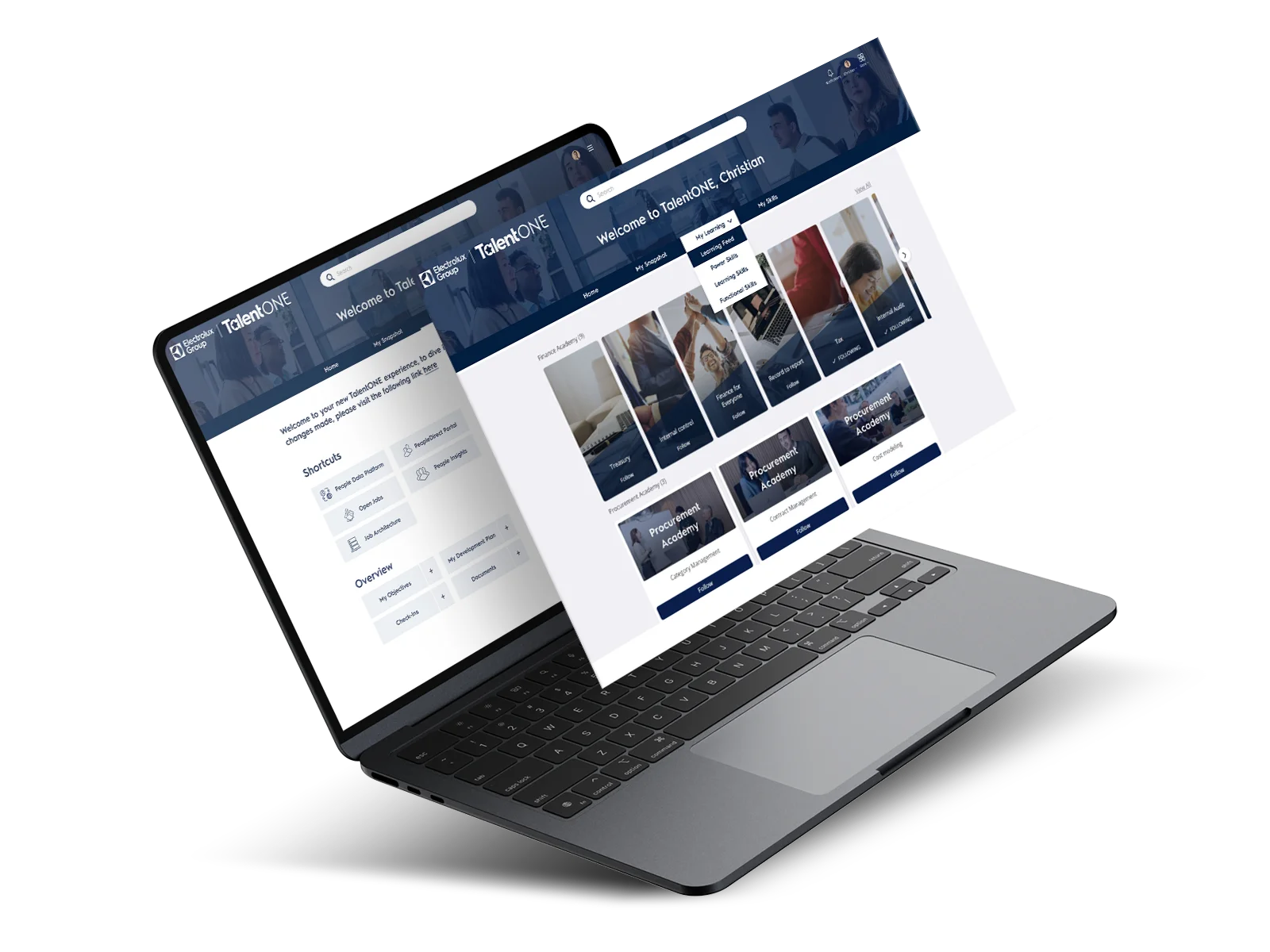
Onboarding
First impressions matter. We create structured, visually engaging onboarding experiences that guide new employees through everything they need to know – from company culture to role-specific training.
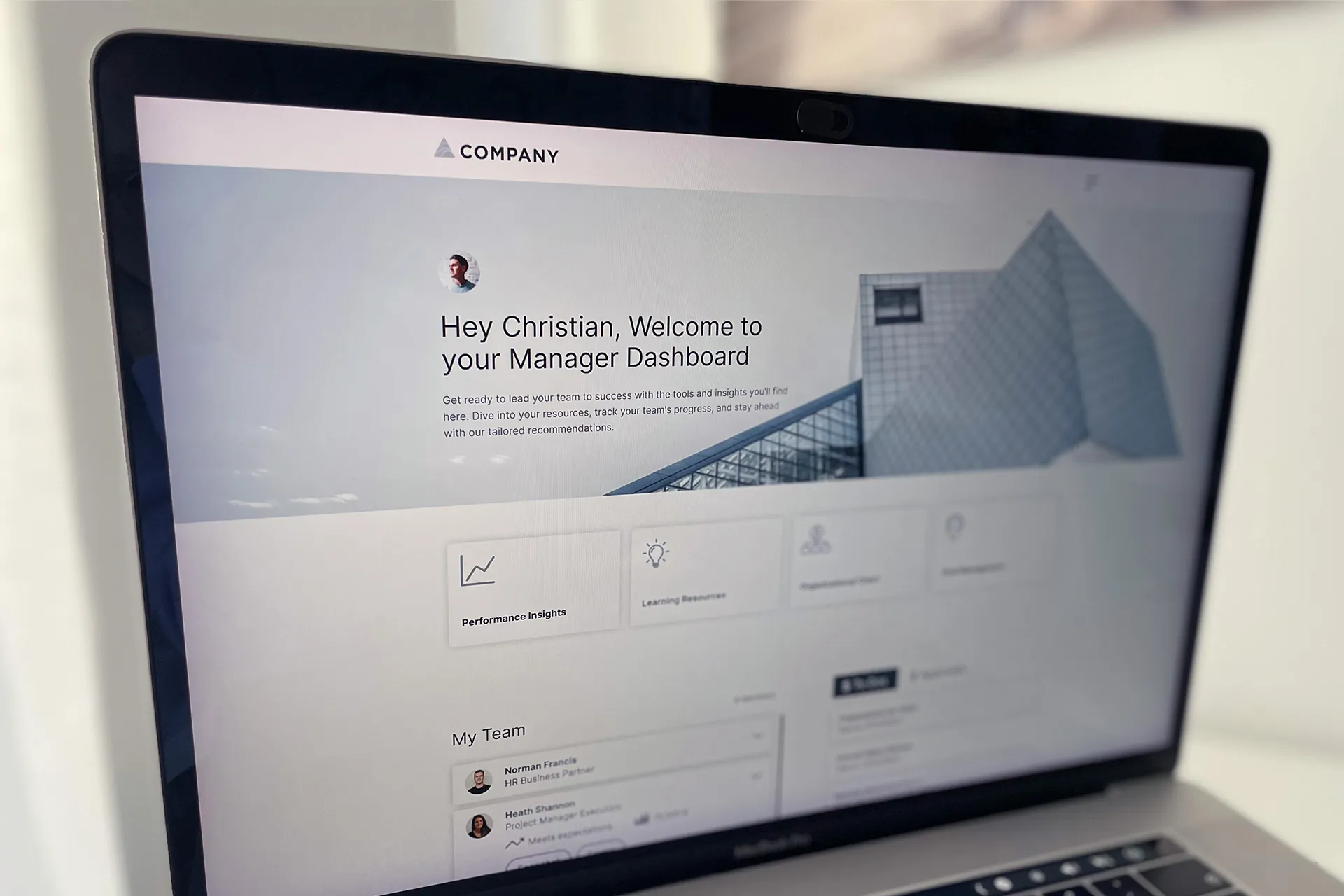
Welcome Page Template
With a variety of components at your fingertips, create a welcome page that stands out. Design a personalized experience within Cornerstone that fits your branding, style, and tone of voice.
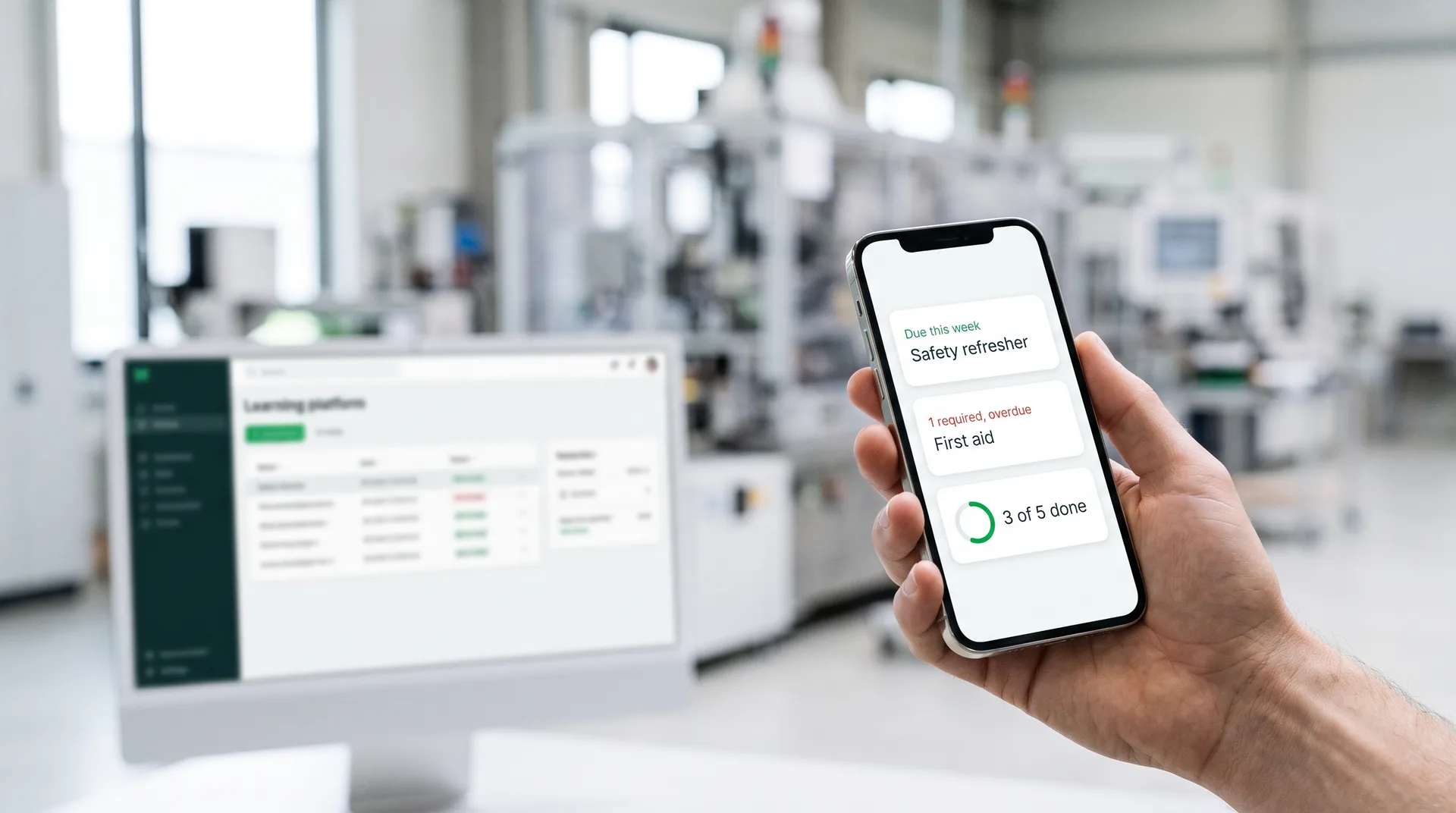
Your frontline will never open the LMS. So bring the LMS to them.
Frontline people live in their employee app, their learning lives in the HR platform. Here is the concept for bringing the two together – without another app.